Your car just got a high-tech upgrade. Today, Samsung Electronics and Hyundai Motor Group announced the GV60 Genesis electric vehicle will be the first to support ultra-wideband (UWB) digital keys available on Galaxy devices1. Seven of the latest Samsung Galaxy smartphones will support a digital key powered by UWB technology. So forget fishing around for your keys in messy bags or deep pockets – now, you can unlock your car with your smartphone simply by walking up to it, and lock it back up again by just touching the door sensor. Let’s take a closer look at how this incredible new technology transforms your smartphone into a digital key that makes life easier.
The Future of Smart Car Keys with UWB 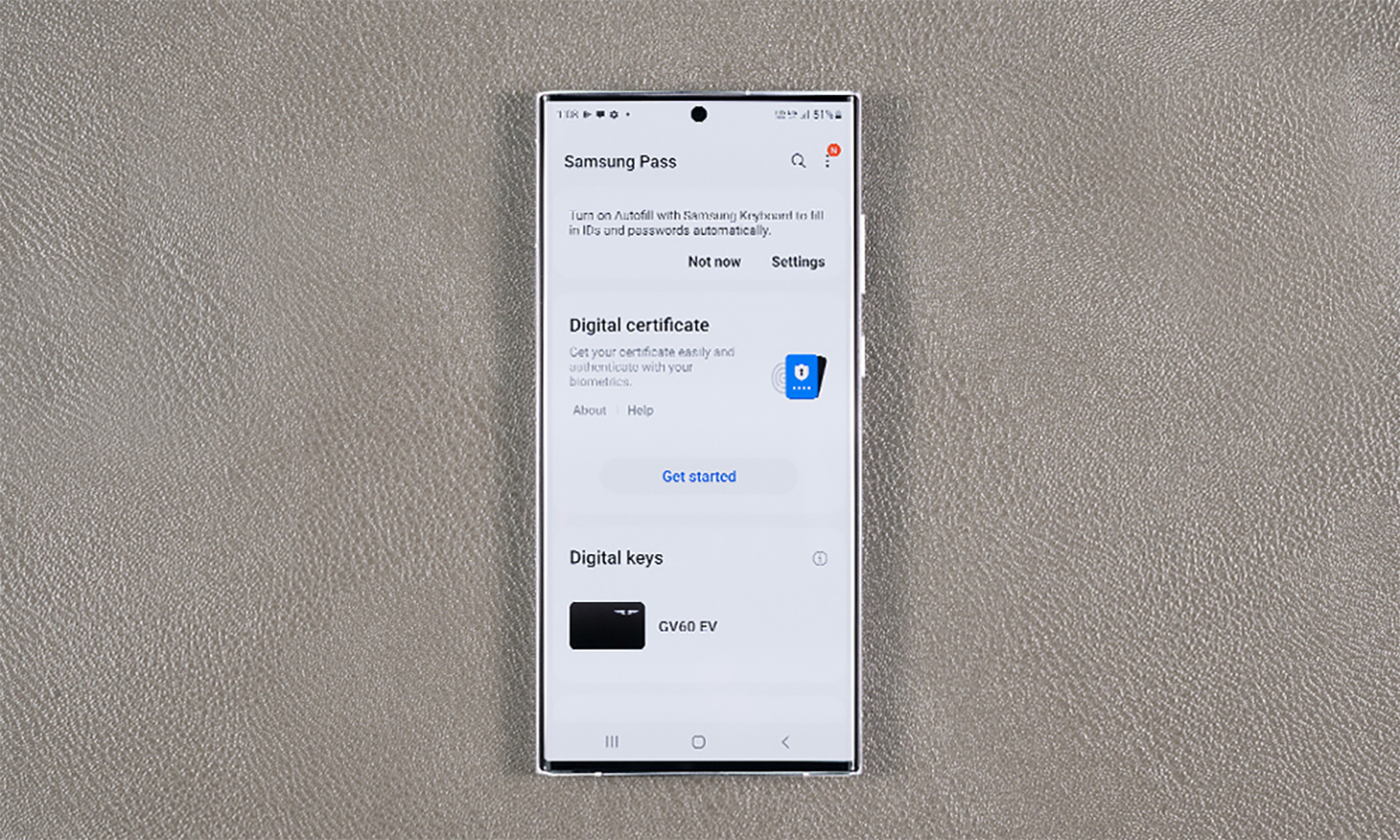 UWB is a wireless technology that allows your smartphone to connect and communicate directly with your car. Once a digital key is registered, the GV60 can identify authorized Galaxy devices and unlock the doors as they approach.
Travel Light with Digital Key on Samsung Pass
Digital key is available through Samsung Pass, a system for storing digital signatures, IDs, and passwords. Later this year, we are excited to expand this service to Samsung Wallet, which will also allow users to securely store and manage digital IDs, boarding passes, vouchers, and credit cards on their phone2. It helps you keep everything you need to get through the day in one, safe, practical , and convenient place.
UWB is a wireless technology that allows your smartphone to connect and communicate directly with your car. Once a digital key is registered, the GV60 can identify authorized Galaxy devices and unlock the doors as they approach.
Travel Light with Digital Key on Samsung Pass
Digital key is available through Samsung Pass, a system for storing digital signatures, IDs, and passwords. Later this year, we are excited to expand this service to Samsung Wallet, which will also allow users to securely store and manage digital IDs, boarding passes, vouchers, and credit cards on their phone2. It helps you keep everything you need to get through the day in one, safe, practical , and convenient place.
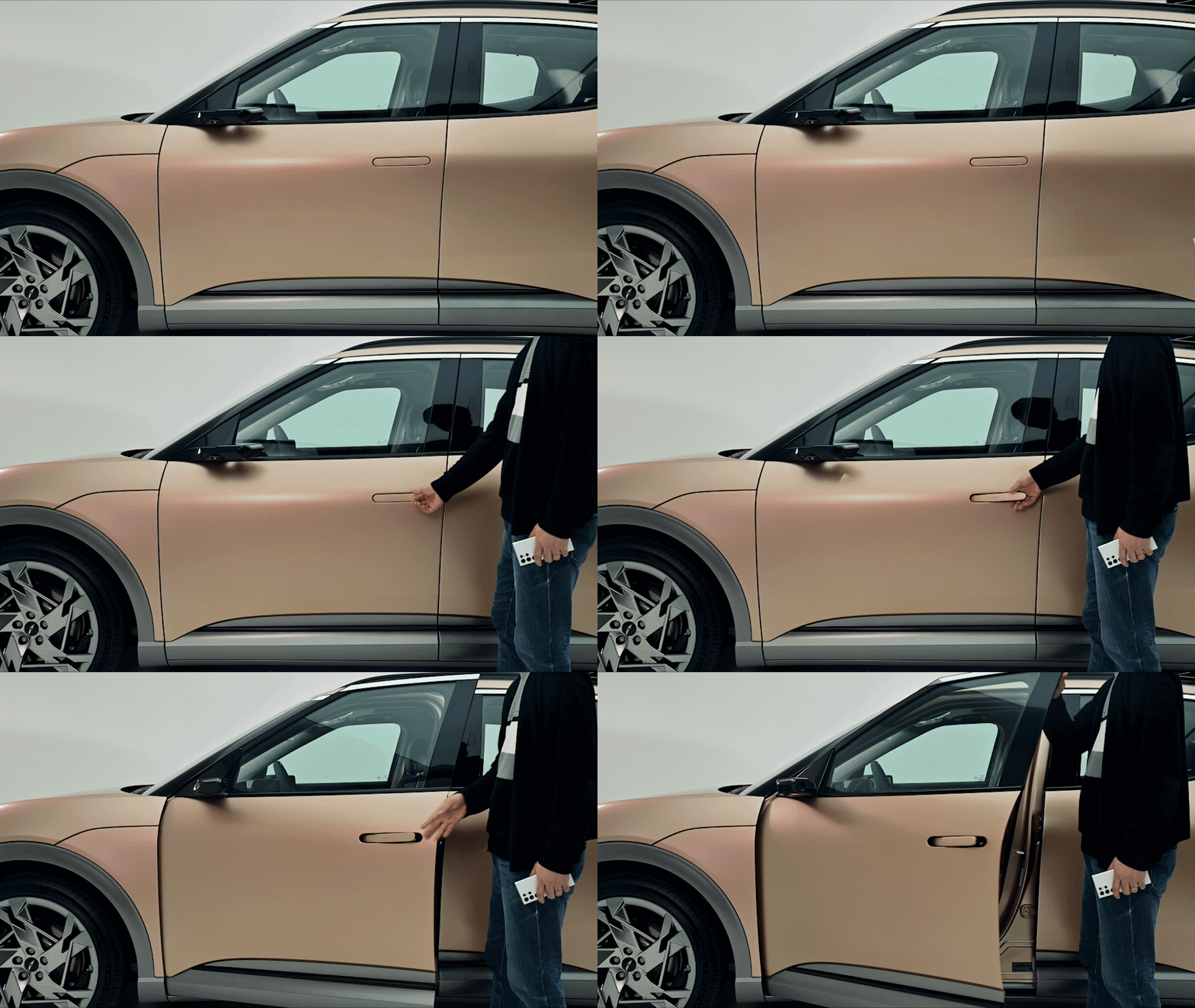
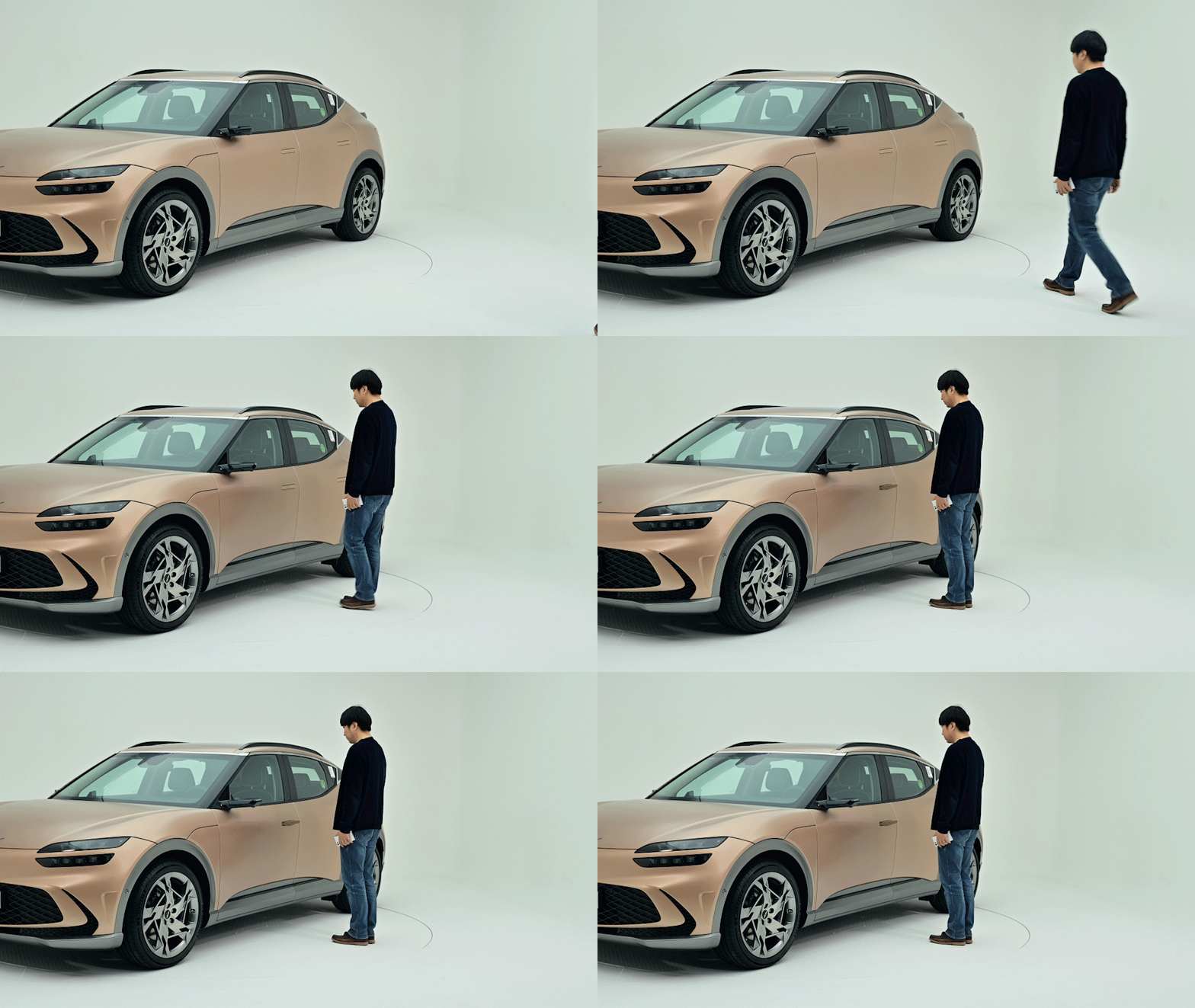 Depending on your car’s settings, there are two ways to unlock your car using UWB. You can open your car door by pressing the door handle while your phone is in your bag or pocket, or you can automatically unlock it simply by approaching the car with your smartphone3. Both ways can be used interchangeably, so you can always choose the option that makes life easier.
 What about when someone needs to borrow your car? You can choose to share your digital key with three of your contacts by selecting them from a list and clicking ‘Send digital key.’ This will send a text message that guides them through setting up a digital key on their Galaxy smartphone Once you share the key, the recipient can start using it immediately by adding it to their Samsung Pass. You can even control how long they have access to the key, and revoke access when needed.
- Install and open up the Genesis Connected Service app in the car.
- Select “Vehicle” menu on the infotainment system.
- Select the “Digital Key” menu on the screen, and “Register” on your Genesis Connected app.
Now, you can leave your car keys at home.
Unlock New Ways of Starting Your Car1 Devices supporting the digital key powered by UWB technology: Galaxy S22+, Galaxy S22 Ultra, Galaxy Z Fold3, Galaxy S21+, Galaxy S21 Ultra, Galaxy Z Fold2, Galaxy Note 20 Ultra (7 devices total) 2 Timing and availability of features and services described in this release may vary by market and model and are subject to change 3 Unlock by approaching is optional.